
How To Buy Cheap Data Bundles in Ghana With EliteDataGh Chrome Extension

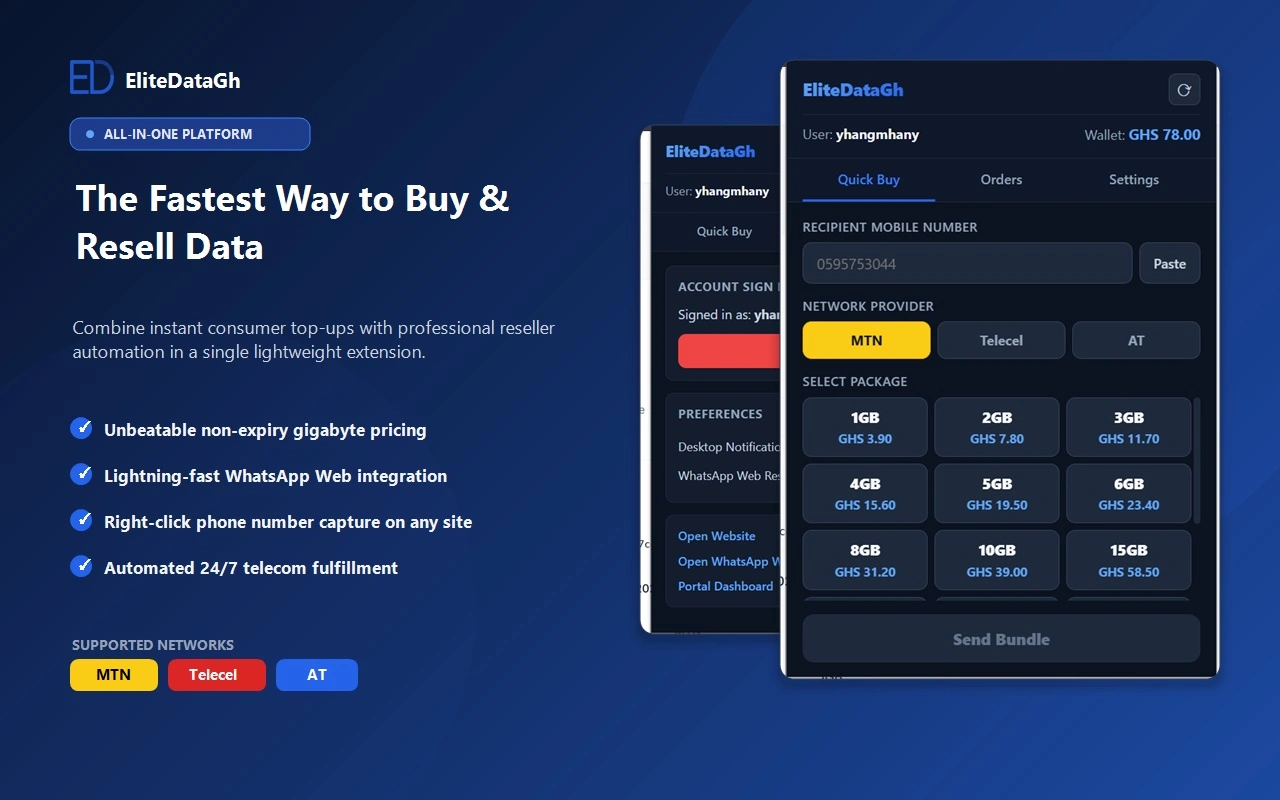
Table of Contents
What Is EliteDataGh Chrome Extension
EliteDataGh Chrome Extension is an official browser tool that allows users and mobile data agents in Ghana to purchase internet bundles instantly from any desktop webpage. Instead of switching tabs, logging into separate portals, or typing customer phone numbers manually, users can highlight any phone number on their screen, right click, and complete a data transaction in seconds.
The extension connects directly to your verified EliteDataGh wallet and automates delivery across MTN Ghana, Telecel Ghana, and AT Ghana networks.
Core Capabilities Of The Extension
1. Highlight And Click Quick Purchasing
Highlight any ten digit Ghana mobile number on any website, right click, and select Send Data. The extension automatically extracts the phone number, detects the network provider, and opens the purchase modal with one click.
2. WhatsApp Web Reseller Workflow
Data resellers handling customer orders on WhatsApp Web can send data bundles without leaving the customer chat. This workflow eliminates copy and paste errors and cuts order processing time down to three seconds per customer.
3. Real Time Wallet Balance
View your available funds directly in the browser toolbar. Check remaining balances before confirming orders without navigating away from your active work.
4. Live Order Status Tracking
Monitor delivery status inside the extension popup. Every order returns a real time delivery confirmation from the telecom network.
How To Install EliteDataGh From The Chrome Web Store
Follow these four steps to install and set up the extension on Google Chrome, Brave, Microsoft Edge, or any Chromium browser:
- Open the official Chrome Web Store listing at https://chromewebstore.google.com/detail/elitedatagh-mobile-data-a/aojcgnbmpihdlomipckiekodnokhplhh
- Click Add to Chrome and confirm the installation prompt.
- Click the puzzle icon in your browser toolbar and pin EliteDataGh for instant access.
- Open the extension popup and sign in with your EliteDataGh account username and password.
Step By Step Guide: How To Buy Data Using The Extension
Method 1: The Context Menu Shortcut
- Select any phone number on any web page with your cursor.
- Right click the selected digits to reveal the browser context menu.
- Select EliteDataGh: Quick Buy Data from the menu list.
- Choose the network and bundle package.
- Click Send Bundle to complete the order.
Method 2: The Extension Toolbar Popup
- Click the blue EliteDataGh logo in your browser extensions bar.
- Enter the recipient mobile number or click Paste.
- Pick the network: MTN, Telecel, or AT.
- Select your preferred gigabyte package.
- Click Send Bundle. Funds deduct from your wallet and data arrives instantly.
Network Bundles Available On The Extension
| Network Provider | Supported Packages | Expiry Period |
|---|---|---|
| MTN Ghana | 1GB up to 100GB | Never Expires |
| Telecel Ghana | 1GB up to 50GB | Never Expires |
| AT Ghana | 1GB up to 50GB | Never Expires |
All packages purchased through the extension share the same wholesale pricing and instant delivery speed available on the main EliteDataGh platform.
Who Needs This Chrome Extension
- Busy Professionals: Top up your personal phone or modem without interrupting workflow or leaving current browser tasks.
- Data Resellers: Process hundreds of daily customer requests on WhatsApp Web with zero manual entry mistakes.
- Digital Agencies: Keep team devices connected without managing physical scratch cards or tedious mobile money prompts for every single gigabyte.
Frequently Asked Questions
Does the Chrome extension charge extra fees?
No extra charges apply. The extension uses the exact bundle rates and wholesale member discounts configured on your EliteDataGh dashboard wallet.
Can I use the extension on Microsoft Edge or Brave?
Yes. Any desktop browser built on Chromium supports the extension directly from the Chrome Web Store.
What happens if an order fails?
If a network delay prevents delivery, the order reflects immediately in your live status history and funds return safely to your wallet balance according to standard refund policies.
Start Saving Time Today
Install the extension directly from the Chrome Web Store today to simplify your daily mobile data purchases across Ghana:
https://chromewebstore.google.com/detail/elitedatagh-mobile-data-a/aojcgnbmpihdlomipckiekodnokhplhh
Keep Reading
Best Site to Buy Cheap Data Online in Ghana (2026 Price & Delivery Comparison)
Compare the best site to buy cheap non-expiry data online in Ghana. View 2026 GHC per-GB rates across MTN, Telecel, and AT, with instant MoMo delivery.
Why Mobile Data Drains Fast in Ghana (5 Hidden Causes and Solutions)
Discover the technical reasons why mobile data drains quickly on 4G in Ghana. Learn how video prefetching, WhatsApp downloads, and background updates waste gigabytes, and how to stop it.
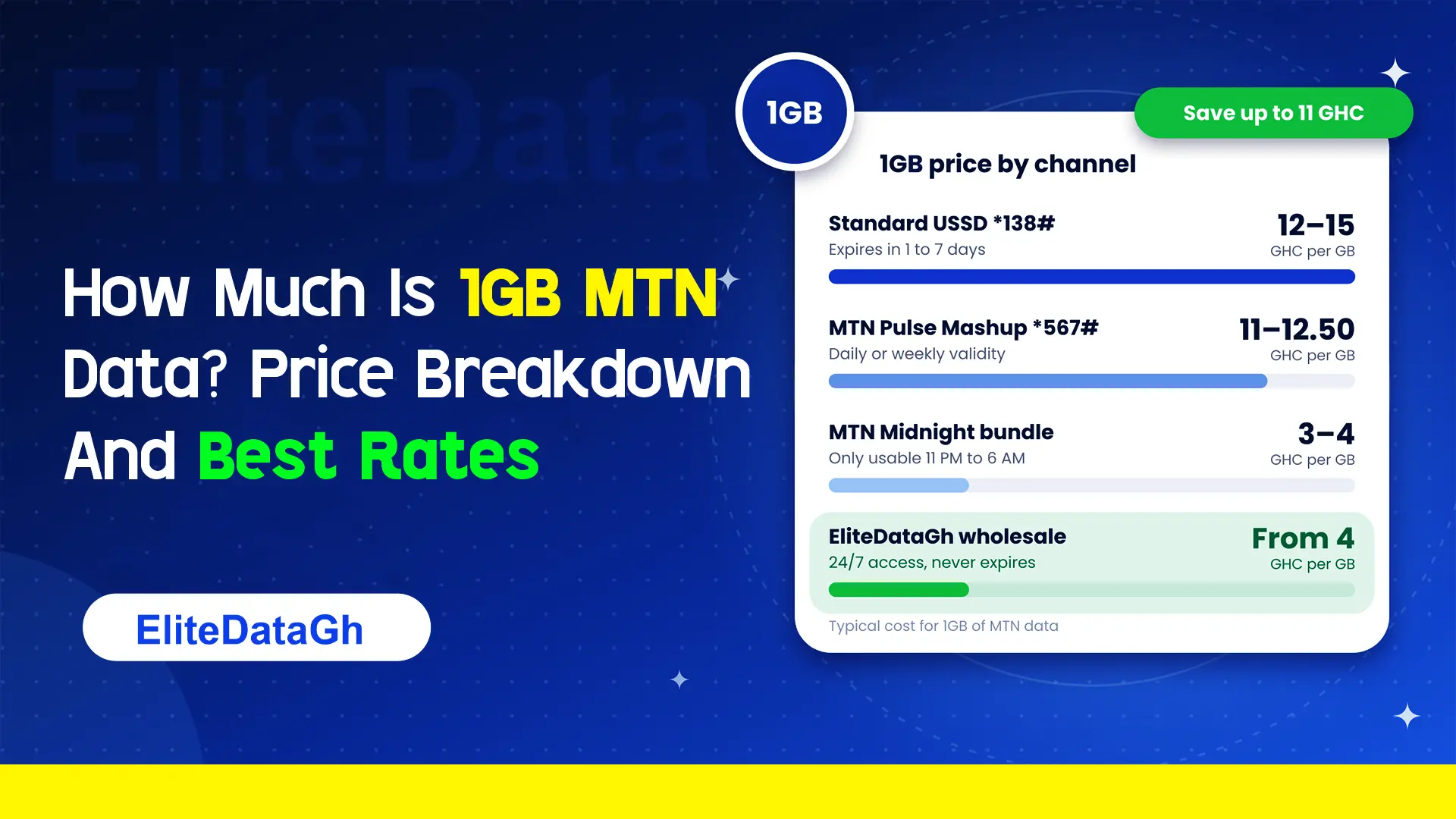
How Much Is 1GB MTN Data? Price Breakdown And Best Rates
Comparing the exact cost of 1GB MTN data across retail USSD, Pulse Mashup, midnight plans, and wholesale non-expiry rates starting from 4 GHC.
What Are 6 Hidden MTN Codes?
Uncover 6 critical hidden MTN codes to stop unauthorized airtime deductions, audit SIM registration, claim forgotten reward points, and verify network discounts.
What Does *138# Do On MTN?
Dialing *138# connects you to the master MTN internet and data bundle management portal. Learn how to navigate menus, check balances, and avoid retail markup traps.
Is There An MTN Free 1GB Data Code For 2026?
Exposing viral MTN free 1GB data codes in 2026. Discover how deceptive shortcodes drain airtime, legitimate operator bonus methods, and secure wholesale alternatives from 4 GHC.
Why Your MTNUP2U Data Order Gets Delayed Sometimes
A breakdown of the network validations and server bottlenecks that occasionally slow down your MTNUP2U data bundle delivery.