
GTA 6 Download Size (210 GB): How Much Data, Time, and Money You Need in Ghana and Globally

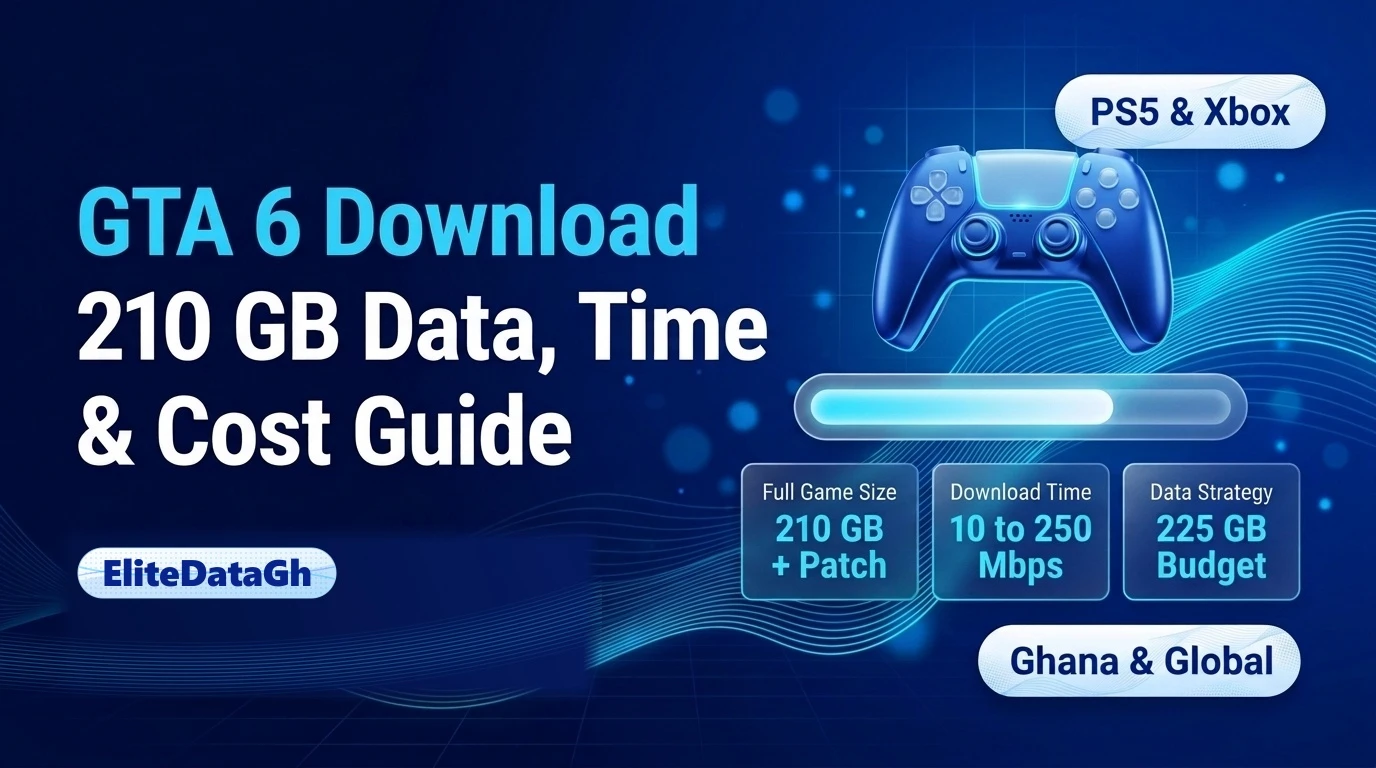
Table of Contents
- GTA 6 File Size, Storage, and Data Budget (PS5 & Xbox)
- Global GTA 6 Download Time Chart by Internet Speed (5 Mbps to 500 Mbps)
- How Much Money and Data You Need to Download GTA 6 in Ghana
- Does Buying the Physical GTA 6 Disc Save Mobile Data?
- 5 Console & Hotspot Tweaks to Download GTA 6 Faster Without Wasting Data
- Frequently Asked Questions
Downloading Grand Theft Auto VI (GTA 6) on PlayStation 5 (PS5 / PS5 Pro) or Xbox Series X|S requires approximately 210 GB for the base game installation, at least 212 GB of free internal NVMe SSD space to unpack the preload files, and a practical internet data budget of 220 GB to 230 GB once Day-1 update patches and network packet overhead are included. At a steady 25 Mbps 4G LTE speed, the full download takes roughly 19 hours and 35 minutes, whereas a 100 Mbps fibre or 5G connection completes the installation in 4 hours and 54 minutes.
Whether you are preloading GTA 6 ahead of its November 19, 2026 release on an unlimited home broadband line or carefully planning a 225 GB mobile data download in Ghana using MTN, Telecel, AT, or Starlink, a download of this scale demands preparation. Running out of bundle megabytes at 92% completion or letting a timed midnight bundle expire at 5:00 AM can wipe out your main airtime balance and stall your console queue.
GTA 6 File Size, Storage, and Data Budget (PS5 & Xbox)
Before starting your preload or launch-day installation, verify that both your console solid-state drive and your internet data cap meet these requirements:
| Requirement Category | PS5 & PS5 Pro | Xbox Series X | Xbox Series S |
|---|---|---|---|
| Base Digital Download Size | ~210 GB | ~210 GB | ~185 GB to 205 GB |
| Minimum Free SSD Space Needed | 212 GB+ | 212 GB+ | 210 GB+ |
| Pre-Launch & Day-1 Patch Size | 1.5 GB to 5 GB | 1.5 GB to 5 GB | 1.5 GB to 4 GB |
| Recommended Total Data Budget | 225 GB to 230 GB | 225 GB to 230 GB | 205 GB to 220 GB |
Why You Should Budget 225 GB to 230 GB of Data for a 210 GB Game
Console operating systems do not transfer raw gigabytes with zero overhead. When your PS5 or Xbox Series X downloads a 210 GB package from PlayStation Network or Xbox Live servers, three factors add 5% to 8% extra network consumption:
- TCP/IP and TLS Encryption Overhead: Every downloaded chunk is wrapped in packet headers and security handshakes, adding roughly 6 GB to 10 GB across a 210 GB transfer.
- Pre-Release and Day-1 Title Updates: Initial stability patches (ranging from 600 MB to several gigabytes) roll out alongside the base preload.
- Chunk Verification Retries on Mobile Networks: If your 4G hotspot or router drops signal briefly during a multi-hour session, the console re-downloads the interrupted data block to pass checksum verification.
You can convert exact megabyte, gigabyte, and terabyte requirements for any console download using our free Data Units Converter.
Global GTA 6 Download Time Chart by Internet Speed (5 Mbps to 500 Mbps)
Because internet service providers advertise speeds in megabits per second (Mbps) while PlayStation and Xbox measure file sizes in gigabytes (GB) (where 8 megabits = 1 megabyte), a 100 Mbps connection transfers at a maximum theoretical rate of 12.5 MB per second (or roughly 43.9 GB per hour after standard network overhead).
Here is exactly how long it takes to download the 210 GB GTA 6 installation across real-world connection speeds:
| Real-World Download Speed | Connection Type | Megabytes Per Second | Data Downloaded Per Hour | Total Time for 210 GB |
|---|---|---|---|---|
| 5 Mbps | Congested 3G / Basic 4G | 0.62 MB/s | ~2.2 GB / hr | 95 hours 30 mins (~4 days) |
| 10 Mbps | Average 4G Phone Hotspot | 1.25 MB/s | ~4.3 GB / hr | 48 hours 50 mins (~2 days) |
| 25 Mbps | Strong 4G LTE / MiFi | 3.12 MB/s | ~10.7 GB / hr | 19 hours 35 mins |
| 50 Mbps | 4G+ LTE-Advanced / Turbonet | 6.25 MB/s | ~21.5 GB / hr | 9 hours 46 mins |
| 100 Mbps | Home Fibre / 5G / Starlink | 12.50 MB/s | ~43.0 GB / hr | 4 hours 53 mins |
| 250 Mbps | High-Speed Fibre Optic | 31.25 MB/s | ~107.5 GB / hr | 1 hour 57 mins |
| 500 Mbps | Gigabit-Class Fibre | 62.50 MB/s | ~215.0 GB / hr | 59 mins |
Before starting your download, test your live throughput right where your console sits using our free Internet Speed Test so you know which row in the table applies to your home setup.
How Much Money and Data You Need to Download GTA 6 in Ghana
For gamers in Ghana without unlimited home fibre, downloading 225 GB requires choosing the right carrier strategy across MTN Ghana, Telecel Ghana, AT Ghana, or fixed broadband. Picking the wrong standard USSD bundle can easily double your cost.
Strategy 1: Non-Expiry Mobile Data Bundles (Safest Multi-Day Download)
If your local 4G speed averages between 15 Mbps and 35 Mbps, downloading 210 GB will take 12 to 30 hours. Using Non-Expiry Data Bundles on MTN, Telecel, or AT BigTime Data (*111#) is the most reliable approach when you cannot finish the download inside a single night:
- Zero Midnight Cutoff Risk: Your console can download continuously in Rest Mode (PS5) or Sleep Mode (Xbox) across day and night without you waking up at 4:50 AM to pause the queue.
- Stackable Capacity: You can load two 100 GB packages plus a 30 GB buffer (230 GB total) and any leftover gigabytes after GTA 6 finishes installing remain on your SIM card indefinitely for future patches and online play.
- Estimated Cost Range in Ghana: Depending on whether you use wholesale non-expiry bundles, AT BigTime packs, or standard monthly USSD tiers (
*138#/*700#/*111#), budgeting 225 GB of non-expiry or 30-day data typically ranges from GHS 650 to GHS 950 on standard retail USSD menus, or significantly less when stacking high-volume non-expiry packages.
Strategy 2: Midnight and Night Data Bundles (Cheapest Per-GB Option, High Discipline Required)
For budget-conscious gamers in Ghana with strong late-night cell tower speeds (35 Mbps to 80+ Mbps between 12:00 AM and 5:00 AM), night bundles offer the lowest cost per gigabyte, though they require strict manual pausing:
- How the Math Works: At a steady 40 Mbps midnight speed, your console downloads roughly 17 GB per hour, or 85 GB per 5-hour night window (
12:00 AM to 5:00 AM). That means you will complete the 210 GB GTA 6 download across three consecutive nights. - Critical 4:50 AM Pause Rule: Set an alarm for 4:50 AM every morning to press Pause on your PS5 or Xbox download queue and switch off your mobile hotspot before the midnight bundle expires at 5:00 AM. If the console keeps pulling data at 5:01 AM, it will immediately drain your regular daytime data bundle or wipe out your main prepaid airtime balance.
- Check Midnight Codes: View all official night and Kokrokoo bundle shortcodes for MTN (
*138#), Telecel (*700#), and AT (*111*4#) inside our Ghana USSD Shortcodes Directory.
Strategy 3: Home Fibre, Turbonet, or Starlink (Best for Multi-Console Households)
- MTN Fibre & Telecel Fibre: If you have a home fibre connection in Accra, Tema, Kumasi, or Takoradi, check your remaining monthly rollover quota before starting a 225 GB download, or top up a dedicated high-capacity data add-on.
- Starlink Residential in Ghana: Because Starlink Residential plans provide unlimited standard data with typical speeds between 80 Mbps and 180 Mbps in Ghana, a full 210 GB GTA 6 download finishes in 3 to 5.5 hours with zero extra per-gigabyte cost.
Does Buying the Physical GTA 6 Disc Save Mobile Data?
Many console players in Ghana assume buying the physical PS5 Blu-ray disc solves the 210 GB internet requirement. While a physical Ultra HD Blu-ray edition reduces the initial download, keep two realities in mind:
- Multi-Disc Capacity Limits: A single triple-layer Ultra HD Blu-ray disc holds up to 100 GB. Even with a two-disc physical release copying roughly 150 GB to 190 GB from the optical drive, your console must still connect to the internet to download the remaining 20 GB to 60 GB of required game assets plus the Day-1 patch.
- Digital-Only Consoles Cannot Use Discs: If you own a PS5 Digital Edition, PS5 Slim / Pro without a disc drive, or Xbox Series S, 100% of the 210 GB installation must be downloaded over the internet.
5 Console & Hotspot Tweaks to Download GTA 6 Faster Without Wasting Data
Before tapping Download on your PS5 or Xbox Series X|S, apply these five settings so every megabyte goes strictly toward GTA 6:
- Disable Automatic Updates for All Other Installed Games:
- On PS5: Go to Settings, select Saved Data and Game/App Settings, open Automatic Updates, and turn off Auto-Download temporarily so Call of Duty, Fortnite, or EA Sports FC does not silently pull a 40 GB background update out of your GTA 6 data bundle.
- On Xbox Series X|S: Open Settings, select System, choose Updates, and uncheck Keep my games & apps up to date until GTA 6 finishes installing.
- Close All Running Games and Media Apps: Keeping a game or YouTube open in the background while downloading throttles PS5 and Xbox network bandwidth by up to 60%. Close all apps completely and place the console into Rest Mode (PS5) or Sleep Mode (Xbox).
- Use 5 GHz Wi-Fi or an Ethernet Cable From Your Router / MiFi: If you are using a 4G/5G Turbonet, CPE router, or smartphone hotspot, connect over the 5 GHz Wi-Fi band (or plug a LAN Ethernet cable directly into the router) rather than 2.4 GHz Wi-Fi, which caps real-world console throughput.
- Lock Fast DNS Servers on Your Console: If your download speed stalls on PlayStation Network or Xbox Live CDN servers, set your console Manual DNS to Cloudflare (
1.1.1.1/1.0.0.1) or Google DNS (8.8.8.8/8.8.4.4) to route around sluggish local ISP caching servers. - Calculate Ongoing GTA 6 Online Multiplayer Usage: While the initial download is massive (210 GB), actually playing GTA Online multiplayer after installation only consumes roughly 100 MB to 350 MB per hour (plus voice chat). You can estimate your monthly gaming and streaming usage anytime with our Mobile Data Usage Calculator.
Frequently Asked Questions
How many GB is the GTA 6 download size on PS5 and Xbox Series X?
The full digital download size for GTA 6 is approximately 210 GB on PS5 and Xbox Series X|S, and Rockstar recommends clearing at least 212 GB of free SSD storage space to unpack the preload and install Day-1 patches.
How much internet data should I buy to download GTA 6 completely?
Budget between 225 GB and 230 GB of internet data. This covers the 210 GB base game download, 1.5 GB to 5 GB of launch-week update patches, and 5% to 8% of standard TCP/IP network packet overhead.
Can I pause the GTA 6 download on PS5 or Xbox and resume it the next day on a new data bundle?
Yes. Both PS5 and Xbox Series X|S save downloaded chunks to your SSD progressively. Simply press Pause inside your console Downloads / Queue menu before your current data bundle runs out or before your midnight bundle expires at 5:00 AM, then press Resume once your next data bundle is active.
How long does it take to download 210 GB on 4G mobile internet?
On a standard 25 Mbps 4G LTE connection, downloading 210 GB takes about 19 hours and 35 minutes. On a fast 50 Mbps 4G+ or Turbonet connection, it takes roughly 9 hours and 46 minutes, while a 100 Mbps fibre or 5G line finishes in under 5 hours.
Check your live connection speed and calculate exact download times for any file size using our free Internet Speed Test, Data Units Converter, and Mobile Data Usage Calculator.
Keep Reading

Telecel One Family Plan Explained: How to Share Voice and Data Across Numbers
Telecel One Family explained: dial *900# or use Telecel Play to share broadband data and voice across 1 to 4 paired numbers on 30-day household plans cleanly.

How to Share or Transfer Airtime on Telecel Ghana Using *516#
Dial *516# on Telecel Ghana to share airtime credit to 020 and 050 numbers. Learn the express code, GHS 0.05 fee, default 1234 PIN setup, and transfer rules.

MTN Pulse and Mashup Bundles (*567#): Complete USSD Guide and Validity Rules
Dial *567# for MTN Pulse Mashup bundles in Ghana. Explore Voice and Data mix rules, social bonuses, non-expiry validity, and *567*4# balance checks cleanly.

MTN Ghana Data Zone (*138#) Explained: Why Offers Disappear and How to Qualify
Learn why MTN Ghana Data Zone (*135# and *138#) and Just4U (*141#) offers change, how NCA SMP rules affect pricing, and how your SIM qualifies for better data.

How to Cancel Unwanted Subscriptions and Caller Tunes Draining MTN Airtime
Cancel unwanted MTN Ghana subscriptions draining your airtime: dial *175# for VAS promos, *1355# or SMS Unsubscribe to 1355 for Caller Tunez, and STOP to 138.

How to Check Your SSNIT Number, Statements, and Pay Contributions via USSD (*711*9#)
Dial *711*9# on MTN, Telecel, or AT to verify your SSNIT number, merge your Ghana Card, email contribution statements, and pay SEED MoMo contributions.

Complete Guide to Ghana Emergency Shortcodes: Police (191), Fire (192), Ambulance (193), and 112
Dial 112 toll-free in Ghana for unified Police (191), Fire (192), and Ambulance (193) dispatch, plus verified NADMO, DOVVSU, ECG, and 292 cyber hotlines.