
How to Share or Transfer Airtime on Telecel Ghana Using *516#


Table of Contents
- Summary of Telecel *516# Airtime Share
- Method 1: Step-by-Step Airtime Transfer via *516# Menu
- Method 2: Fast Express Airtime Transfer Shortcut
- How to Change or Reset Your Telecel Transfer PIN
- Rules, Limits, and What Cannot Be Shared on *516#
- Troubleshooting Failed *516# Transfers
- Frequently Asked Questions About Telecel *516# Airtime Transfer
To share or transfer airtime from your Telecel Ghana SIM to another Telecel number, dial *516#, choose Option 1 (Transfer Credit), enter the recipient phone number and the whole-cedi amount, type your 4-digit Transfer PIN (1234 by default), and press 1 to confirm. Telecel charges a flat GHS 0.05 service fee per transfer, and you can also send credit in one step with the direct shortcut *516*RecipientNumber*Amount*PIN#.
Whether you want to top up a relative during an emergency or move unused main balance onto your second Telecel SIM, knowing the PIN rules, whole-Cedi restrictions, and common error causes prevents failed sessions and accidental wrong-number sends.
Summary of Telecel *516# Airtime Share
Keep these verified Telecel transfer facts accessible alongside our complete Ghana USSD and Network Shortcodes Directory.
| Detail | Telecel Ghana Rule |
|---|---|
| Interactive Menu Code | *516# |
| One-Line Express Code | *516*RecipientNumber*Amount*PIN# |
| Default Transfer PIN | 1234 (recommended to change immediately after first use) |
| Service Fee | GHS 0.05 per successful transfer |
| Accepted Amounts | Whole Ghana Cedis only (such as GHS 1, GHS 2, GHS 5, or GHS 10) |
| Eligible Recipients | Telecel Ghana numbers only (020, 050, or numbers ported onto Telecel) |
| Main Telecel Check Balance | *124# |
Method 1: Step-by-Step Airtime Transfer via *516# Menu
Use the guided USSD prompt if this is your first transfer or if you want to verify recipient digits step by step before submitting.
- Confirm you hold enough main airtime via
*124#to cover both your transfer amount and the GHS 0.05 fee (for example, keep at least GHS 5.05 before transferring GHS 5). - Dial
*516#from your Telecel line. - Reply with 1 for Transfer Credit.
- Enter the recipient 10-digit Telecel number carefully (for example
0508275602). - Type the transfer amount in whole Ghana Cedis without pesewa decimals.
- Enter your 4-digit Transfer PIN (use
1234if you have never customized it). - Reply with 1 on the final summary screen to authorize the transfer and wait for your confirmation SMS.
Method 2: Fast Express Airtime Transfer Shortcut
Once you know your Transfer PIN, you can skip every prompt and share airtime immediately using a single dial string:
- Formula:
*516*RecipientNumber*Amount*PIN# - Example (sending GHS 5 using PIN 4829):
*516*0508275602*5*4829#
Double-check every digit in the recipient phone number before pressing Call, because express USSD shortcuts execute immediately without extra confirmation pauses on some firmware versions.
How to Change or Reset Your Telecel Transfer PIN
Leaving the factory 1234 PIN unchanged puts your airtime at risk if anyone picks up your unlocked phone or swaps your SIM without a SIM PIN lock.
Change Default PIN (1234) to a Custom PIN
- Dial
*516#on your Telecel SIM card. - Open the Change PIN option from the main menu (commonly Option 3).
- Enter your current PIN (
1234for first-time users). - Enter a private 4-digit PIN (avoid obvious sequences like
0000or your birth year) and re-enter it to confirm.
Recover a Forgotten *516# Transfer PIN
If your custom PIN fails and 1234 is rejected, do not keep guessing blindly until security locks trigger. Call Telecel Ghana Customer Care toll-free on 100 from any Telecel SIM, or call 050 555 5111 from another network, verify your Ghana Card registration details, and request an airtime transfer PIN reset.
Rules, Limits, and What Cannot Be Shared on *516#
- Main Airtime Balance Only: Promotional bonus credit, call-minute bundles, and borrowed emergency credit via Telecel SOS Credit (
*505#) cannot be sent to another person with*516#. - Telecel-to-Telecel Numbers Only: Direct airtime sharing only delivers to active Telecel Ghana subscribers. You cannot transfer SIM airtime directly onto MTN or AT lines using
*516#. - Watch Out for Ported Numbers: Because Mobile Number Portability allows Ghanaians to switch networks while keeping an old
020,050,024, or027prefix, run any unfamiliar number through the Ghana Network Checker if a transfer rejects unexpectedly. - Cross-Network Top-Ups: To top up an MTN or AT friend from your Telecel device, buy airtime through Telecel Cash (
*110#) or the Telecel Play mobile app rather than*516#.
Troubleshooting Failed *516# Transfers
Error: Insufficient Balance
Even if *124# shows GHS 5.00 exactly, attempting a GHS 5 transfer will fail because your account also needs GHS 0.05 for the transfer charge. Lower the transfer amount to GHS 4 or top up main credit first.
Transfer Fails With Decimal Amounts
Attempting to enter pesewas such as 2.50 triggers an invalid amount error on *516#. Round the transfer to a whole Ghana Cedi figure (2 or 3) and resend.
Recipient Never Receives Credit Despite Fee Deduction
Check your SMS outbox and balance via *124# after 2 minutes. Keep the confirmation SMS or reference message and dial 100 on Telecel so an agent can verify whether the recipient number was typed accurately or if a temporary clearing delay occurred.
Frequently Asked Questions About Telecel *516# Airtime Transfer
What is the default PIN for Telecel *516# airtime transfer?
If you have never changed your Telecel credit-sharing PIN, the factory default PIN is 1234. Change it immediately through *516# after your first transfer.
How much does Telecel Ghana charge to share airtime via *516#?
Telecel Ghana deducts a service fee of GHS 0.05 per completed airtime transfer from the sender main balance.
Can I transfer Telecel airtime to an MTN or AT number using *516#?
No. The *516# shortcode only transfers airtime between active Telecel Ghana accounts. To recharge another network from Telecel, use your Telecel Cash wallet (*110#) or the Telecel Play app.
Why did *198# stop working on my Telecel SIM?
*198# is the Me2U airtime sharing code used by MTN Ghana. Telecel Ghana subscribers must dial *516# instead.
Can I share borrowed Telecel SOS Credit (*505#) with another number?
No. Emergency airtime borrowed via *505# and promotional bonus credit remain restricted to your own line and cannot be transferred via *516#.
Keep Reading

Telecel One Family Plan Explained: How to Share Voice and Data Across Numbers
Telecel One Family explained: dial *900# or use Telecel Play to share broadband data and voice across 1 to 4 paired numbers on 30-day household plans cleanly.

MTN Pulse and Mashup Bundles (*567#): Complete USSD Guide and Validity Rules
Dial *567# for MTN Pulse Mashup bundles in Ghana. Explore Voice and Data mix rules, social bonuses, non-expiry validity, and *567*4# balance checks cleanly.

MTN Ghana Data Zone (*138#) Explained: Why Offers Disappear and How to Qualify
Learn why MTN Ghana Data Zone (*135# and *138#) and Just4U (*141#) offers change, how NCA SMP rules affect pricing, and how your SIM qualifies for better data.

How to Cancel Unwanted Subscriptions and Caller Tunes Draining MTN Airtime
Cancel unwanted MTN Ghana subscriptions draining your airtime: dial *175# for VAS promos, *1355# or SMS Unsubscribe to 1355 for Caller Tunez, and STOP to 138.

How to Check Your SSNIT Number, Statements, and Pay Contributions via USSD (*711*9#)
Dial *711*9# on MTN, Telecel, or AT to verify your SSNIT number, merge your Ghana Card, email contribution statements, and pay SEED MoMo contributions.

Complete Guide to Ghana Emergency Shortcodes: Police (191), Fire (192), Ambulance (193), and 112
Dial 112 toll-free in Ghana for unified Police (191), Fire (192), and Ambulance (193) dispatch, plus verified NADMO, DOVVSU, ECG, and 292 cyber hotlines.
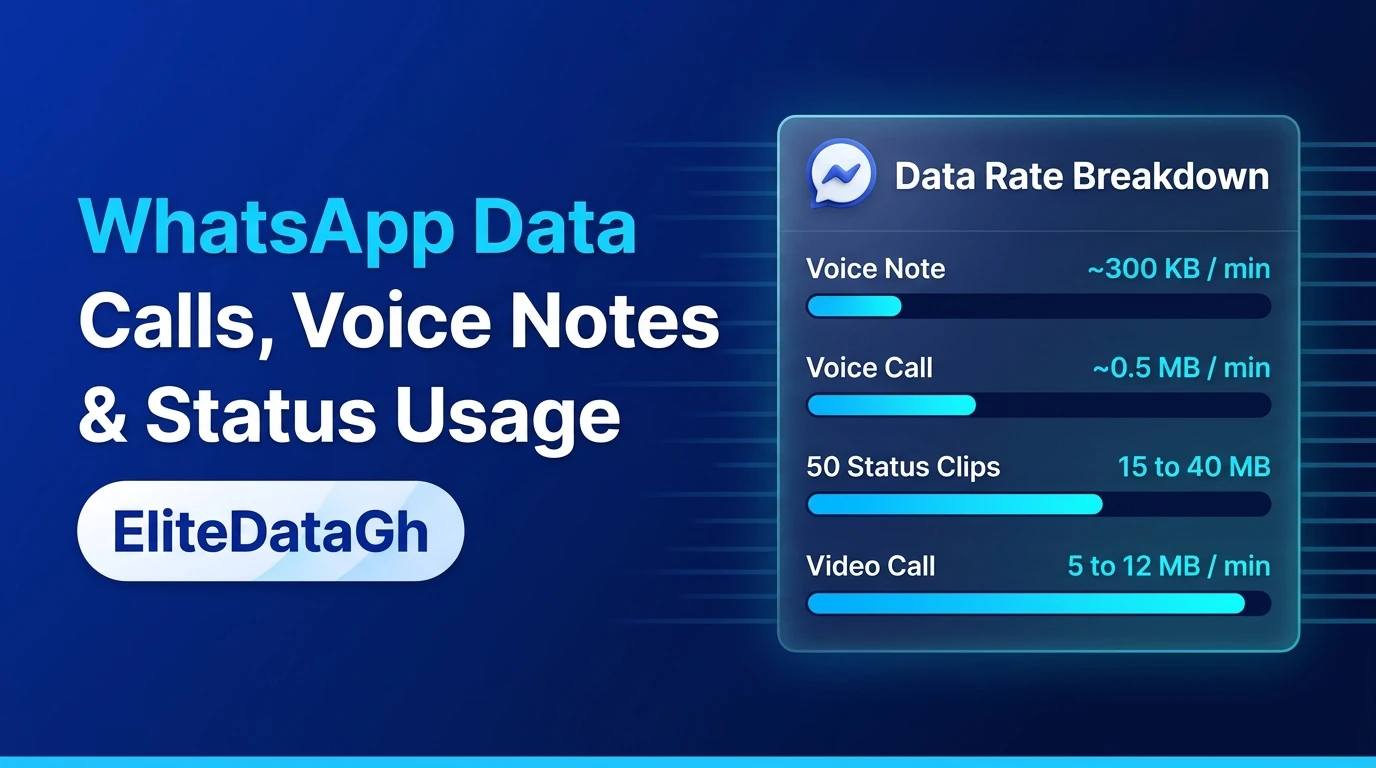
How Much Data Do WhatsApp Calls, Voice Notes, and Status Updates Actually Use?
Find out how much mobile data WhatsApp voice calls, video calls, voice notes, and Status updates consume in MB and GB per hour, plus 5 data-saving settings.