
Telecel One Family Plan Explained: How to Share Voice and Data Across Numbers


Table of Contents
- Quick Comparison of Telecel One Family Plan Tiers
- How Data and Voice Sharing Works on Telecel One Family
- Step-by-Step: How to Subscribe Using *900# USSD
- How to Pair Family Phone Numbers and Share Data
- One Family vs Regular Telecel Data Bundles and *516# Airtime Share
- Troubleshooting Common Telecel One Family Issues
- Frequently Asked Questions About Telecel One Family Plan
Telecel One Family is a 30-day fixed broadband and mobile convergence plan in Ghana that lets one household share home internet data, voice minutes, and SMS allowances across 1 to 4 paired Telecel mobile numbers. To subscribe, switch tiers, or manage linked family numbers, dial *900# from any Telecel line or open the Data Sharing section inside the Telecel Play App or play.telecel.com.gh.
Instead of buying separate monthly bundles for a home router, parents, and children, Telecel One Family pools fiber broadband capacity alongside shareable mobile allowances on one recurring monthly package billed from GHS 180 to GHS 1,045.
Quick Comparison of Telecel One Family Plan Tiers
Verify all four 30-day One Family packages before matching a tier to your household size, and save *900# alongside other essential shortcuts in our Ghana USSD and Network Shortcodes Directory.
| One Family Package Tier | Typical Monthly Price | Approximate Data Pool | Maximum Pairable Mobile Numbers | Validity Cycle |
|---|---|---|---|---|
| One Family Small | GHS 180 | Around 47 GB to 72 GB (varies by variant) | Up to 1 Telecel mobile number | 30 days |
| One Family Medium | GHS 330 | Around 314 GB to 315 GB | Up to 2 Telecel mobile numbers | 30 days |
| One Family Large | GHS 550 | Around 565 GB | Up to 3 Telecel mobile numbers | 30 days |
| One Family Extra Large | GHS 1,045 | Around 1.03 TB to 1.05 TB | Up to 4 Telecel mobile numbers | 30 days |
Each tier also pairs core broadband volume with fixed-line or mobile voice allocations (covering on-net and off-net call minutes) plus SMS allowances under current Telecel Ghana promotional terms. To estimate whether 72 GB, 314 GB, or 565 GB covers your household Netflix, YouTube, remote work, and WhatsApp traffic cleanly, project monthly usage with our Ghana Data Usage Calculator and compare terabyte versus gigabyte allocations in the MB to GB Converter.
How Data and Voice Sharing Works on Telecel One Family
One primary fixed broadband account anchors the household plan, while secondary Telecel mobile SIMs link onto that account as paired members.
- Central Broadband Pool: High-speed router bandwidth remains active at home or in the office throughout the 30-day cycle.
- Transferring Data to Linked SIMs: From the Telecel Play App, self-care web portal, or
*900#, the account holder pushes mobile data portions out of the main broadband allowance onto each paired family mobile number for browsing outside the house. - 30-Day Transfer Validity: Data moved onto a linked mobile line typically remains valid for 30 days from the transfer date under standard Telecel sharing rules.
- Telecel Numbers Only: Only active Telecel Ghana mobile lines (
020,050, or numbers ported onto Telecel) can be paired inside the Data Sharing dashboard.
If you are unsure whether a family phone number originally starting with 020 or 050 was later ported away to another telecom operator, confirm its active host network first with the free Ghana Network Checker.
Step-by-Step: How to Subscribe Using *900# USSD
You can activate or switch to a Telecel One Family plan without visiting an office once your Fixed Broadband account is active.
- Dial
*900#from any Telecel mobile line associated with or managing your broadband account. - Select your target Fixed Broadband account from the list.
- Reply with 1 for Fixed Broadband.
- Choose Option 1 (Buy Bundle) or open the Plan Change menu depending on whether you are renewing or upgrading.
- Select Option 1 (Monthly Bundles) and choose your preferred One Family tier (Small, Medium, Large, or Extra Large).
- Complete payment using Telecel Cash (
*110#), main account balance, or online card checkout via Telecel Play.
How to Pair Family Phone Numbers and Share Data
Pairing mobile lines works fastest inside the graphical Telecel Play App, although basic management is also available on *900#.
Using the Telecel Play App or Web Portal
- Download the Telecel Play App or sign in at
play.telecel.com.ghusing your registered Telecel email and Fixed Broadband account details. - Open the Data Sharing or Linked Numbers panel on your broadband dashboard.
- Add each eligible family Telecel mobile number up to your tier cap (1 on Small, 2 on Medium, 3 on Large, or 4 on Extra Large).
- Choose a paired member number and assign a data slice to move from your core account onto their mobile SIM.
- Repeat anytime during the 30-day window whenever a family member needs mobile data while traveling away from home Wi-Fi.
Adding or Removing Numbers via *900# or Retail Shops
If a smartphone is unavailable or you run into portal linking errors, dial *900# to manage broadband sharing prompts, or walk into any Telecel Ghana Retail Shop with your Ghana Card and broadband account ID so support staff can update your paired numbers.
One Family vs Regular Telecel Data Bundles and *516# Airtime Share
Knowing which Telecel service solves which household problem prevents double spending:
- Use Telecel One Family (
*900#) when a household wants one 30-day fiber broadband pool plus shareable mobile data slices and bundled minutes across 1 to 4 linked Telecel SIMs. - Use Telecel Airtime Transfer (
*516#) when you simply want to share main prepaid call credit (GHS 0.05fee per transfer) between individual Telecel numbers without needing fixed broadband hardware. - Use Standalone Mobile Bundles (
*200#/*5588#) when family members live apart or use non-Telecel SIMs and do not share one home router.
Troubleshooting Common Telecel One Family Issues
Cannot Add a Second or Third Mobile Number
Check which One Family tier is currently active. One Family Small (GHS 180) caps pairing at 1 mobile number, while Medium allows 2, Large allows 3, and Extra Large allows 4. Upgrade tiers through *900# or Telecel Play if your household grew beyond your slot cap.
Recipient Number Rejected During Pairing
Only registered, active Telecel Ghana mobile lines can join One Family Data Sharing. Numbers belonging to MTN or AT, inactive SIMs, or recently ported numbers still settling across billing systems will be declined.
Shared Mobile Data Expires or Runs Out Early
Remember that data pushed to a paired SIM deducts directly from your main One Family pool. Monitor how much data children or teens receive inside Telecel Play so heavy video streaming on one paired phone does not drain the entire home broadband pool before day 30. For direct customer support on stuck pairings or broadband billing, dial 100 toll-free from any Telecel SIM or 050 555 5111 from another network.
Frequently Asked Questions About Telecel One Family Plan
How many phone numbers can join Telecel One Family?
You can link between 1 and 4 Telecel mobile numbers depending on your plan tier: 1 on Small, 2 on Medium, 3 on Large, and 4 on Extra Large.
What is the USSD code for Telecel One Family?
Dial *900# on any Telecel mobile line to subscribe to Fixed Broadband Monthly Bundles, pay bills, switch into One Family tiers, or manage linked numbers.
Can I add an MTN or AT number to Telecel One Family Data Sharing?
No. Telecel One Family Data Sharing only works with eligible Telecel Ghana mobile numbers (020, 050, or numbers ported onto Telecel).
Does unused Telecel One Family data roll over if we do not finish it in 30 days?
Core One Family plans operate on a 30-day monthly validity cycle. Size your monthly household tier carefully with a bandwidth estimate so unused gigabytes are not left behind at renewal.
How can I pay for a monthly Telecel One Family renewal?
You can pay seamlessly through Telecel Cash (*110#), *900#, the Telecel Play App or portal (play.telecel.com.gh), or at any Telecel Retail Shop.
Keep Reading

How to Share or Transfer Airtime on Telecel Ghana Using *516#
Dial *516# on Telecel Ghana to share airtime credit to 020 and 050 numbers. Learn the express code, GHS 0.05 fee, default 1234 PIN setup, and transfer rules.

MTN Pulse and Mashup Bundles (*567#): Complete USSD Guide and Validity Rules
Dial *567# for MTN Pulse Mashup bundles in Ghana. Explore Voice and Data mix rules, social bonuses, non-expiry validity, and *567*4# balance checks cleanly.

MTN Ghana Data Zone (*138#) Explained: Why Offers Disappear and How to Qualify
Learn why MTN Ghana Data Zone (*135# and *138#) and Just4U (*141#) offers change, how NCA SMP rules affect pricing, and how your SIM qualifies for better data.

How to Cancel Unwanted Subscriptions and Caller Tunes Draining MTN Airtime
Cancel unwanted MTN Ghana subscriptions draining your airtime: dial *175# for VAS promos, *1355# or SMS Unsubscribe to 1355 for Caller Tunez, and STOP to 138.

How to Check Your SSNIT Number, Statements, and Pay Contributions via USSD (*711*9#)
Dial *711*9# on MTN, Telecel, or AT to verify your SSNIT number, merge your Ghana Card, email contribution statements, and pay SEED MoMo contributions.

Complete Guide to Ghana Emergency Shortcodes: Police (191), Fire (192), Ambulance (193), and 112
Dial 112 toll-free in Ghana for unified Police (191), Fire (192), and Ambulance (193) dispatch, plus verified NADMO, DOVVSU, ECG, and 292 cyber hotlines.
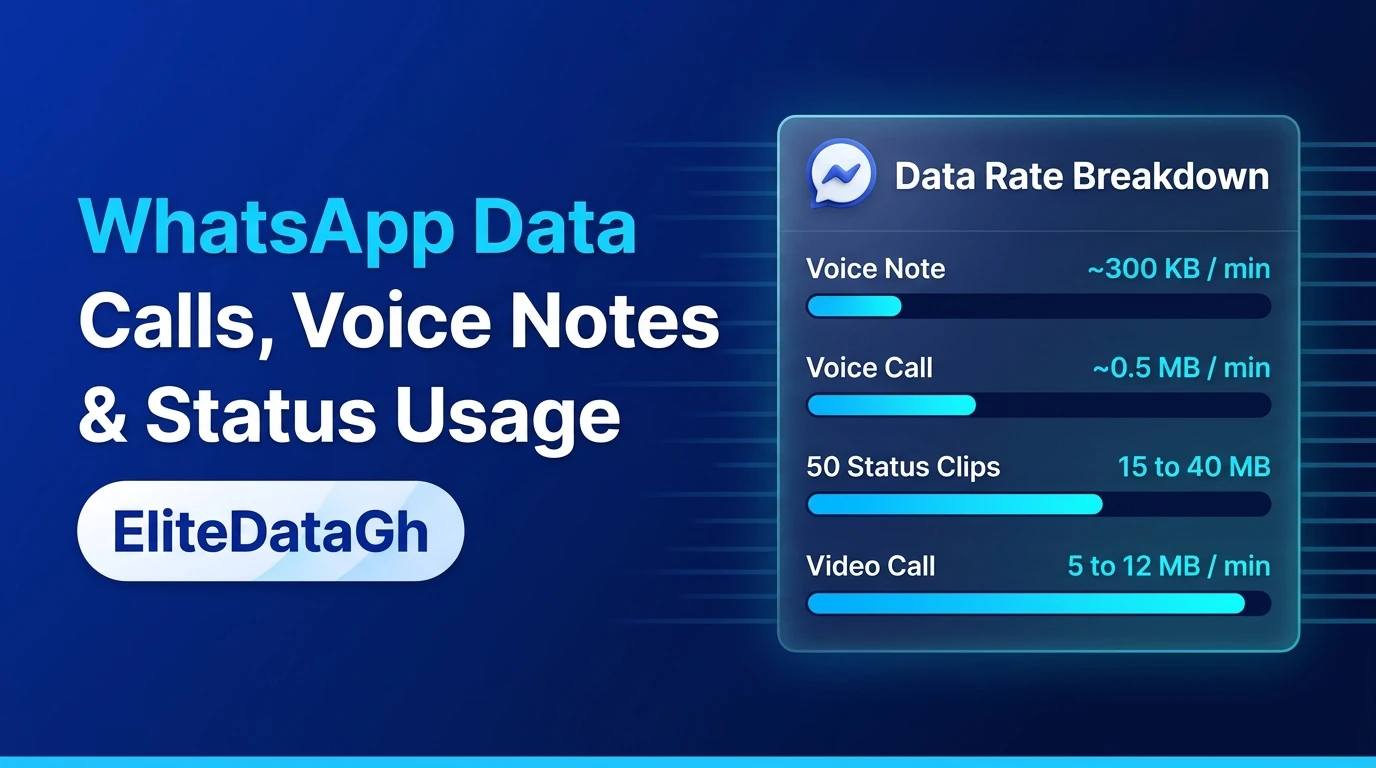
How Much Data Do WhatsApp Calls, Voice Notes, and Status Updates Actually Use?
Find out how much mobile data WhatsApp voice calls, video calls, voice notes, and Status updates consume in MB and GB per hour, plus 5 data-saving settings.