
How To Buy MTN Data Bundles Online in Ghana

Table of Contents
- What Happens Technically When You Buy MTN Data Online
- Choosing the Right Channel: Technical and Financial Comparison
- How to Buy Non-Expiry MTN Data Online Without Installing an App
- How to Buy MTN Data Online via the Zero-Rated myMTN App
- Expiry Losses and Transaction Fee Math
- Five Red Flags When Buying Data Online
- Troubleshooting Delayed or Rejected Online MTN Data Orders
- Frequently Asked Questions
You can buy MTN data bundles online in Ghana through three verified pathways: an automated non-expiry web portal like EliteDataGh Buy Data, the zero-rated myMTN Ghana mobile app, or direct Mobile Money push via USSD codes *138# and *170#. For standard browsing where data value per cedi matters, direct web checkout using Mobile Money delivers non-expiry MTN allocations directly to any active MTN SIM card in minutes without forcing your gigabytes to expire at midnight or after 30 days.
Every week, Ghanaian subscribers lose money in three preventable ways: buying short-expiry bundles that vanish unused, sending data to a mistyped 10-digit number, or approving fraudulent USSD payment prompts disguised as bundle promos. Treating your data purchase like a financial transaction eliminates those losses before a single cedi leaves your wallet.
What Happens Technically When You Buy MTN Data Online
When you purchase MTN data in Ghana, your order travels through one of two distinct network fulfillment paths depending on the platform you choose. Understanding that difference explains why prices, validity rules, and delivery speeds vary across providers.
- Direct Core Retail Billing (
*138#,*170#, and myMTN App): Your airtime balance or Mobile Money wallet is debited immediately inside Scancom PLC core billing systems. Most retail bundles loaded through this path carry fixed time limits such as 24 hours, 7 days, or 30 days unless you specifically choose a Flexi or Non-Expiry tier inside the menu. - Corporate and SME Provisioning Portals (Web Platforms like EliteDataGh): Once Paystack or Mobile Money confirms your payment webhook, an automated dispatch engine pushes a wholesale SME or enterprise allocation straight to your MTN SIM card. These packages carry non-expiry validity, meaning unused gigabytes stay active until you consume every megabyte.
Because corporate provisioning runs through bulk carrier queues rather than direct airtime deduction, web portal orders typically arrive within minutes, while direct *138# airtime deductions trigger instantaneously.
Choosing the Right Channel: Technical and Financial Comparison
Each MTN Ghana buying method serves a distinct operational scenario. Compare validity rules, offline readiness, and payment flexibility before picking a channel.
| Purchase Channel | Requires Existing Data | Data Validity Rule | Supported Payment Wallets | Primary Advantage |
|---|---|---|---|---|
| EliteDataGh Web Portal | Minimal web access | Non-expiry until consumed | MTN MoMo, Telecel Cash, AT Money | Lowest cost per GB and cross-network MoMo checkout |
| myMTN Ghana App | Zero-rated on MTN SIM | Standard expiry and non-expiry tiers | MTN MoMo or Airtime | Free app navigation and occasional 4G bonus offers |
*138# Data Shortcode | No, works completely offline | Expiry unless Non-Expiry selected | MTN MoMo or Airtime | Works when your data balance reaches zero |
*170# MoMo Menu | No, works completely offline | Standard retail bundle rules | MTN MoMo only | Quick bundle top-ups during MoMo transfers |
How to Buy Non-Expiry MTN Data Online Without Installing an App
Browser-based checkout gives you complete flexibility when you want non-expiry gigabytes delivered to your own phone, a router SIM, or a family member while paying from any Ghanaian Mobile Money wallet.
- Verify the exact 10-digit MTN recipient number: Check every digit carefully. Confirm prefixes such as
024,054,055,059,025, or053. Because Ghana supports Mobile Number Portability, confirm uncertain numbers using the Ghana Network Checker before checkout. - Open elitedatagh.com/buy and select MTN: Choose the exact gigabyte bundle that matches your usage pattern instead of guessing blindly.
- Enter your payer details separately if needed: Your paying Mobile Money number does not need to match the receiving MTN line. You can pay from Telecel Cash or AT Money even when loading data onto an MTN SIM.
- Authorize the Mobile Money prompt cleanly: Confirm that the approval pop-up on your handset matches your exact GHC total, then enter your MoMo PIN to approve payment.
- Save your tracking code immediately: Keep the order reference shown after checkout so you can check gateway delivery status anytime at elitedatagh.com/track.
Frequent buyers, remote workers, and resellers who want lower rates per gigabyte without paying repeated single-order checkout fees can register on EliteDataGh, pre-fund an account wallet, and purchase at member pricing tiers listed on elitedatagh.com/prices.
How to Buy MTN Data Online via the Zero-Rated myMTN App
The official myMTN Ghana application operates as a zero-rated portal over MTN mobile data, meaning navigating screens inside the app does not deduct megabytes from an empty bundle. That makes it useful when you have already run out of data on an MTN SIM and only have Wi-Fi or zero active balance.
- Download myMTN Ghana exclusively from the official Google Play Store or Apple App Store. Verify the developer listing belongs to Scancom PLC or MTN Ghana.
- Sign in using OTP verification linked to your active MTN line.
- Tap Buy/Send, select Data, and review the standard Daily, Weekly, Monthly, Social, Just4U, and Non-Expiry categories carefully.
- Confirm whether the selected package carries an expiry timer before tapping Pay.
- Choose Mobile Money or Airtime, authorize the debit, and wait for the confirmation SMS.
If you have zero smartphone access or poor data signal, fall back to offline USSD. Dial *138# for standard bundles, Midnight Zone access between 12:00 AM and 5:00 AM, and Flexi offers, or dial *567# for MTN Pulse mashups. Dial *170# when you want to fund a bundle directly out of your MTN MoMo wallet alongside transfers.
Expiry Losses and Transaction Fee Math
A bundle price sticker alone tells half the story. What actually matters is your effective cost per consumed megabyte.
- Perishable Expiry Waste: Suppose a subscriber buys a cheap 30-day or 7-day promo bundle for work, gets busy offline for several days, and loses 40 percent of the megabytes when the validity clock hits zero. Your real cost per gigabyte jumps sharply because you paid for bandwidth the carrier wiped back to zero. Non-expiry bundles prevent time-based confiscation.
- Estimate Before Buying: Audit your streaming, Zoom calls, cloud backups, and updates with the Data Usage Calculator so you purchase the right size instead of panic-buying small 24-hour packs repeatedly.
- Include Wallet and Cash-Out Fees: Always verify transfer charges before moving MoMo funds between wallets using the MoMo Charges Calculator. Repeated micro-purchases incur higher cumulative processing friction than funding one planned wallet balance.
Five Red Flags When Buying Data Online
Every online convenience channel attracts impersonators trying to drain MoMo wallets. Follow these non-negotiable security rules every time you buy data online in Ghana.
- Reject Strange USSD Strings Dictated by Strangers: No authentic data vendor needs you to dial custom
*170*strings followed by an unfamiliar wallet number or code. A real portal triggers an interactive checkout session or an automated MoMo approval prompt with transparent merchant details. - Never Share Your MoMo PIN, Login Password, or OTP: Neither MTN Ghana staff nor EliteDataGh support will ever call or message asking for your 4-digit MoMo PIN, account password, or security code to push a stuck order. Anyone asking for those credentials is robbing your wallet.
- Distrust Social Media Vendors Without Verifiable Tracking: Screenshots claiming 100GB for a couple of cedis sent via WhatsApp DM with a personal phone number and zero order tracking page are textbook advance-fee traps. Pay only through automated checkout gateways that issue trackable order references.
- Prevent Self-Inflicted Wrong-Number Losses: Digital telecom delivery cannot be pulled back once Scancom systems credit an active SIM card. If you paste a friend or client number with an extra space or wrong middle digit, test and review the full 10-digit recipient line twice before approving payment.
- Do Not Panic-Pay Twice During Network Delays: If an order stays pending for several minutes during peak evening traffic, submitting the same checkout again buys two separate bundles. Always verify live gateway status on elitedatagh.com/track before initiating another payment.
Troubleshooting Delayed or Rejected Online MTN Data Orders
Even well-engineered payment systems encounter telecom bottlenecks. Work through this four-step diagnostic sequence before contacting support.
- Refresh Radio Attachment: Sometimes the network delivers the data allocation on core servers while your phone radio clings to a cached zero-balance session. Toggle Airplane Mode on for 10 seconds, switch it off, and wait one minute before loading a heavy page.
- Query Core SIM Balance via USSD: Check your active internet bucket directly via
*138#or*124#instead of relying on Android or iOS built-in data usage trackers, which only guess local traffic. - Check Live Order State: Enter your recipient number or order reference at elitedatagh.com/track. If an order reads Processing, the telecom gateway is clearing the backlog. If an order reads Rejected or Failed, funds on registered member accounts reverse to the internal wallet automatically, while guest orders display a direct WhatsApp refund request option backed by your reference code.
- Inspect SIM Restrictions: Roaming-barred lines, recently replaced SIM swaps inside security windows, unpaid emergency credit flags, or corporate CUG SIM restrictions can reject third-party SME allocations cleanly at the carrier switch. Check local SIM restrictions with MTN customer care before reordering.
Frequently Asked Questions
What is the fastest way to buy MTN data bundles online in Ghana?
Use an automated checkout portal such as elitedatagh.com/buy for non-expiry packages funded via MTN MoMo, Telecel Cash, or AT Money, or open the official myMTN Ghana app if you prefer direct retail bundles from your MTN wallet.
Can I buy MTN data online using Telecel Cash or AT Money?
Yes. Automated multi-network web portals allow you to authorize payment from Telecel Cash or AT Money while entering any valid MTN Ghana number as the bundle recipient.
Can I buy MTN data online for someone else in Ghana?
Yes. Both *138# under the For Others option and online platforms like EliteDataGh let you enter any valid 10-digit Ghanaian MTN recipient number regardless of whose Mobile Money wallet funds the purchase.
How do I check my MTN data balance after buying online?
Dial *138# and select Check Balance to view standard, bonus, and non-expiry data buckets separately, or check inside the official myMTN Ghana app dashboard.
Are online MTN data orders refundable if sent to a wrong number?
No. Once the telecom network delivers digital megabytes to the active SIM number submitted at checkout, that transaction is permanent and non-reversible. Refunds only apply when payment clears successfully, and the carrier rejects or fails to deliver the bundle.
Keep Reading
How Do I Borrow Data Bundle on Telecel in Ghana?
Dial *505# on any eligible Telecel Ghana prepaid SIM to borrow emergency SOS data or airtime. Understand the 180-day eligibility rule, 10 percent fee math, scam traps, and non-expiry alternatives.
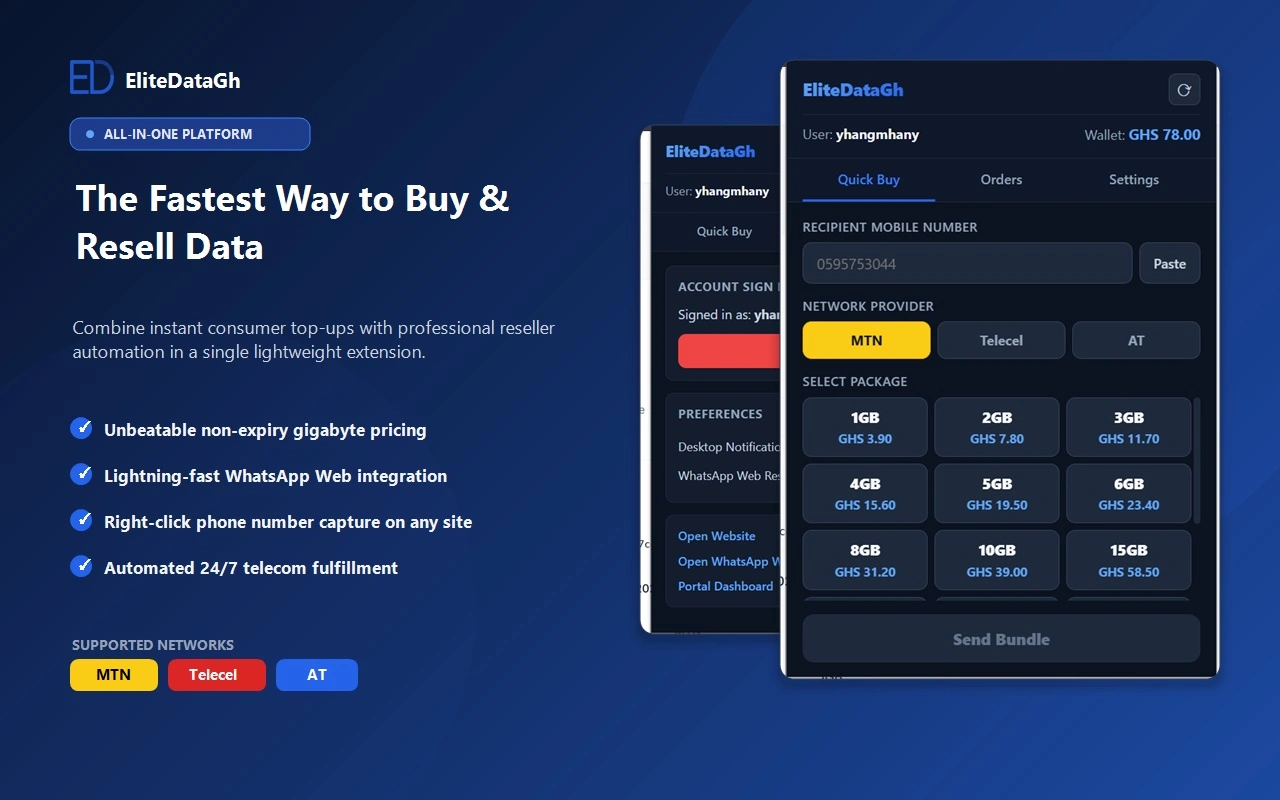
How To Buy Cheap Data Bundles in Ghana With EliteDataGh Chrome Extension
Install the official EliteDataGh Chrome Extension to purchase non-expiry MTN, Telecel, and AT data bundles directly from any web page or WhatsApp Web in Ghana.
Best Site to Buy Cheap Data Online in Ghana (2026 Price & Delivery Comparison)
Compare the best site to buy cheap non-expiry data online in Ghana. View 2026 GHC per-GB rates across MTN, Telecel, and AT, with instant MoMo delivery.
Why Mobile Data Drains Fast in Ghana (5 Hidden Causes and Solutions)
Discover the technical reasons why mobile data drains quickly on 4G in Ghana. Learn how video prefetching, WhatsApp downloads, and background updates waste gigabytes, and how to stop it.
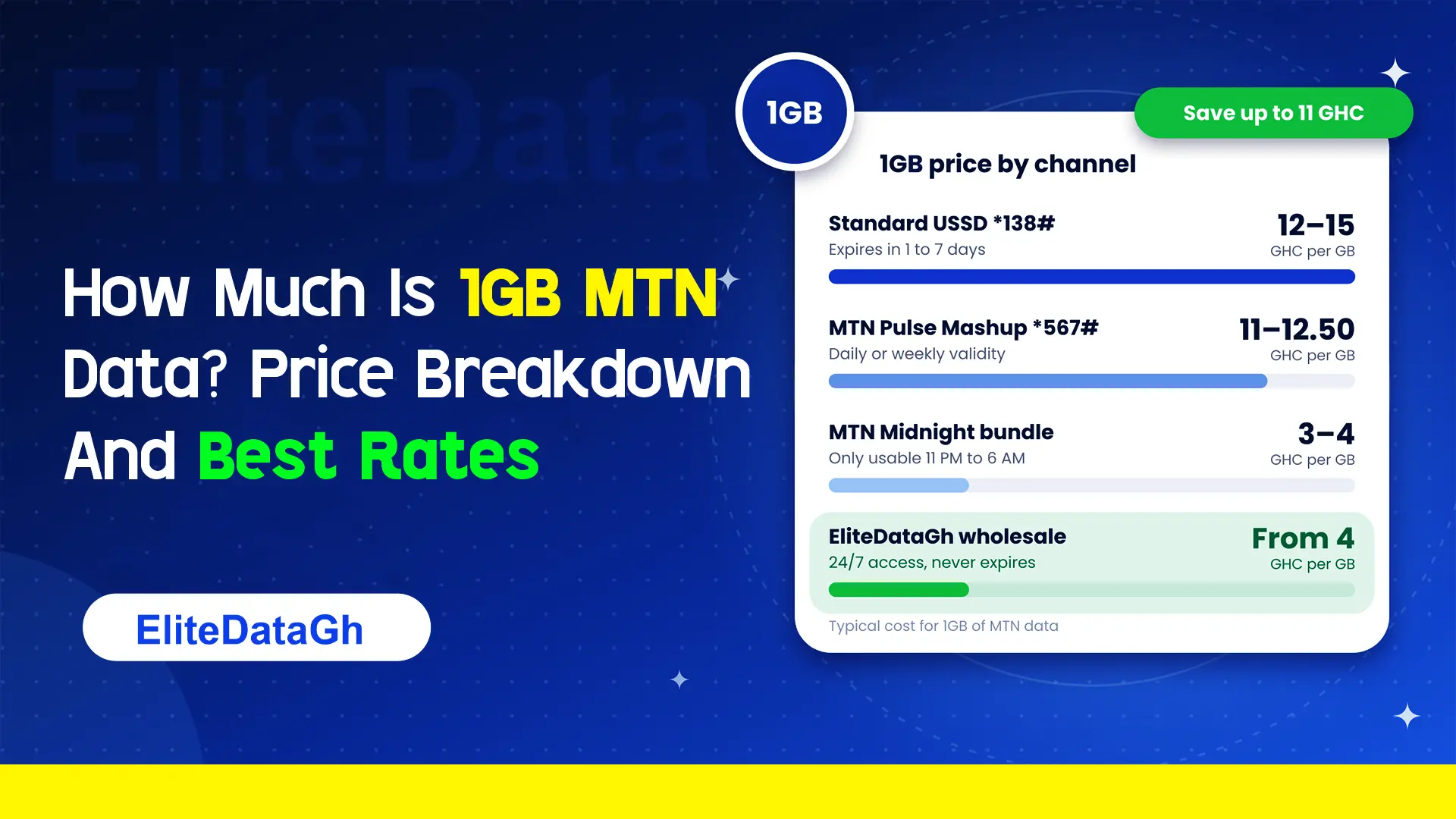
How Much Is 1GB MTN Data? Price Breakdown And Best Rates
Comparing the exact cost of 1GB MTN data across retail USSD, Pulse Mashup, midnight plans, and wholesale non-expiry rates starting from 4 GHC.
What Are 6 Hidden MTN Codes?
Uncover 6 critical hidden MTN codes to stop unauthorized airtime deductions, audit SIM registration, claim forgotten reward points, and verify network discounts.
What Does *138# Do On MTN?
Dialing *138# connects you to the master MTN internet and data bundle management portal. Learn how to navigate menus, check balances, and avoid retail markup traps.