
SIM Swap Fraud in Ghana: How Attackers Hijack Numbers and How to Lock Your SIM PIN

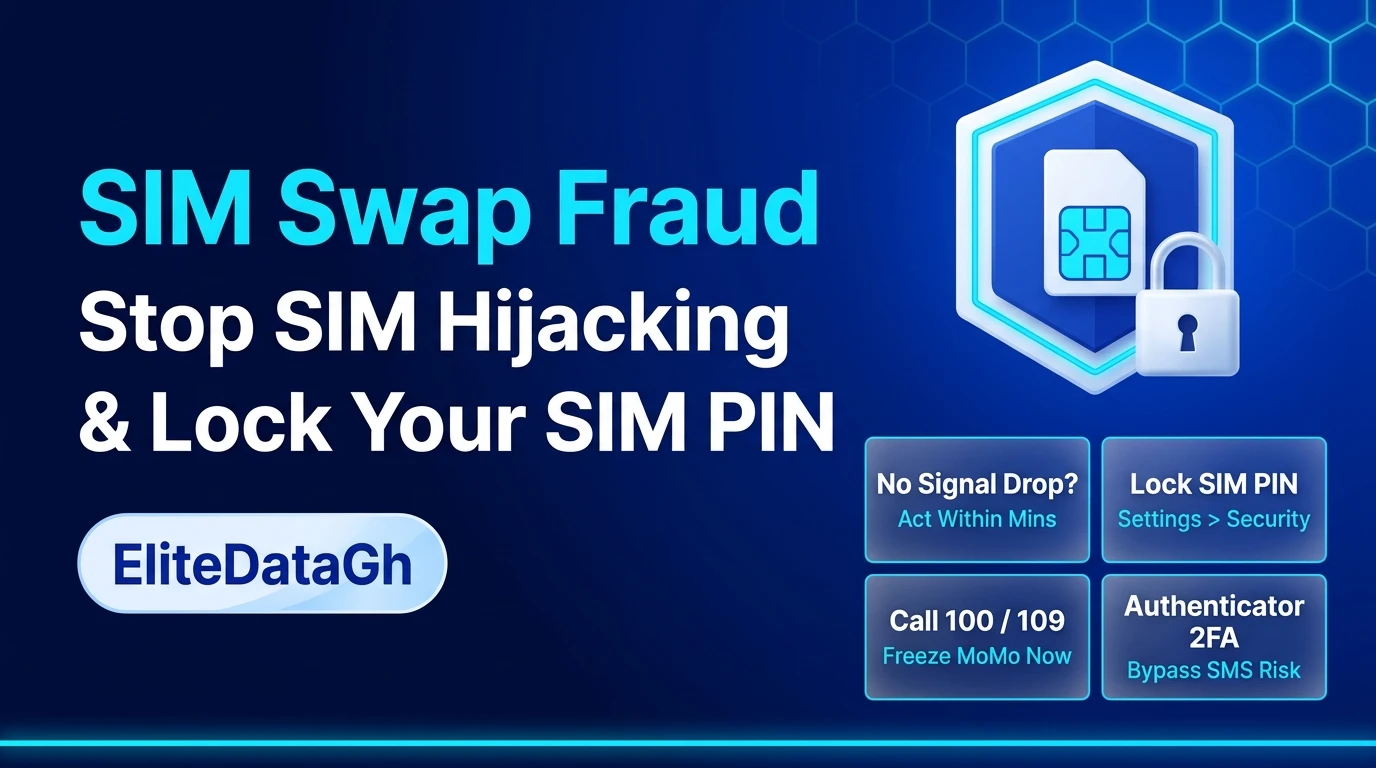
Table of Contents
- Warning Signs and Emergency Fraud Reporting Lines in Ghana
- How Attackers Carry Out SIM Swap Fraud in Ghana
- Step-by-Step: How to Enable a SIM Card PIN Lock (Android & iPhone)
- 5 Crucial Steps to Stop Remote Account Takeovers Beyond SIM PIN
- What to Do in the First 10 Minutes If Your Signal Suddenly Disappears
- Frequently Asked Questions
SIM swap fraud in Ghana happens when an attacker tricks customer support, bribes a rogue dealer, or harvests enough leaked personal details (such as your Ghana Card PIN, date of birth, and recent transaction history) to transfer your MTN, Telecel, or AT phone number onto a blank SIM card under their control. The moment your legitimate phone suddenly drops to No Service / Emergency Calls Only while in a normally strong coverage zone, every incoming call, SMS One-Time Password (OTP), Mobile Money alert, banking reset code, and WhatsApp verification routes directly to the criminal handset instead of yours.
Setting up a custom 4-digit SIM Card PIN Lock, protecting your 8-digit PUK code, switching key accounts off SMS OTP to an Authenticator app, and recognizing the exact social-engineering scripts flagged by the Cyber Security Authority (CSA Ghana) gives you multi-layered protection against both physical SIM theft and remote SIM hijacking.
Warning Signs and Emergency Fraud Reporting Lines in Ghana
If your active phone line suddenly loses signal or someone tries to social-engineer your line, respond immediately using these official channels:
| Defense or Emergency Action | Official Contact / Path in Ghana | When to Use It |
|---|---|---|
| Freeze hijacked MTN line & MoMo wallet | Call 109 or 100 (0244300000 off-net) | Sudden unexplained No Service drop |
| Freeze hijacked Telecel line & wallet | Call 100 or 0200000100 / 0505555111 | Unauthorized Telecel Cash or line takeover |
| Freeze hijacked AT Ghana line & wallet | Call 100, 0260000100, or WhatsApp 0266116611 | Unexpected AT signal loss or OTP spam |
| Report to Cyber Security Authority (CSA) | Call/Text 292, WhatsApp 0501603111, report@csa.gov.gh | Report active cyber fraud and SIM hijacking |
| Ghana Police Cyber Crime Unit | Call 191 or toll-free 18555 | Escalate financial loss and SIM fraud cases |
You can view every carrier USSD balance check, SIM status code (*400#), and emergency shortcode in our Ghana USSD Shortcodes Directory.
How Attackers Carry Out SIM Swap Fraud in Ghana
Even with mandatory biometric Ghana Card registration enforced by the National Communications Authority (NCA), attackers rely on three main tactics to bypass security checks or trick victims directly:
1. Harvesting KYC Answers Through Fake Support Calls
Fraudsters call from regular 10-digit numbers (024, 054, 055, 059, 020) pretending to work for MTN, Telecel, AT, NIA Ghana Card Support, or your bank. They tell an urgent story claiming your SIM registration has an error or your line is due for an upgrade, asking you to read back your date of birth, Ghana Card number, last airtime recharge amount, or frequently called numbers. Those exact answers are the security verification questions needed at support touchpoints.
2. Exploiting Self-Service Swap & Forwarding Codes
Attackers trick unsuspecting victims into dialing cryptic USSD sequences under the guise of claiming a promo or fixing slow 4G. In reality, many of those dialed strings activate Call Forwarding (*21*... or *67*...) to divert incoming verification calls and OTP voice codes straight to the scammer number without performing an actual SIM swap at all.
(Tip: Dial ##002# on MTN, Telecel, or AT anytime to cancel all hidden call diverts and forwarding rules across your SIM card!)
3. Physical SIM Extraction From Briefly Unattended Phones
When a smartphone is stolen (or even left unlocked on a counter for 60 seconds in a shop or charger station), a thief without a SIM PIN lock only needs 10 seconds to eject your plastic nano-SIM tray, slip your SIM into their own handset, reset your WhatsApp or banking password via SMS OTP, and return or discard the phone.
Step-by-Step: How to Enable a SIM Card PIN Lock (Android & iPhone)
Activating a SIM PIN locks the physical SIM microchip itself. Whenever your phone restarts or someone pulls your SIM card out and slides it into another handset, zero signal, calls, SMS OTPs, or USSD codes (*170#) will work until your custom 4-digit SIM PIN is typed first.
Important Warning Before Turning On SIM PIN
Every network issues SIM cards with a factory default SIM PIN (usually 0000 or 1234). You only get 3 attempts to enter the SIM PIN before the SIM locks and asks for your 8-digit PUK (Personal Unblocking Key) code. Never guess a fourth time. Find your PUK code printed on your original plastic SIM frame (or ask official Customer Care on 100 beforehand) before experimenting, and change the default 0000 or 1234 PIN immediately.
How to Lock Your SIM PIN on Android Phones (Samsung, Tecno, Infinix, Xiaomi, Pixel)
- Open Settings on your Android phone.
- Tap Security and Privacy (or Biometrics and Security on Samsung devices).
- Scroll down to More Security Settings and select SIM Card Lock (or Set up SIM Card Lock).
- If you use Dual SIM, select the specific SIM tab (SIM 1 or SIM 2) you want to protect.
- Toggle Lock SIM Card to ON.
- Type your current default carrier SIM PIN (
0000or1234) and tap OK. - Immediately tap Change SIM PIN, enter the default PIN again, and set a strong private 4-digit PIN that is different from your phone screen lock AND different from your MoMo PIN.
How to Lock Your SIM PIN on iPhone (iOS)
- Open Settings on your iPhone and tap Cellular (or Mobile Service).
- Under the SIMs section, select your active Ghanaian line (MTN, Telecel, or AT).
- Tap SIM PIN and toggle the switch ON.
- Enter the carrier default SIM PIN (typically
0000or1234) and tap Done. - Immediately tap Change PIN, type the default code once, and save your private 4-digit SIM PIN.
5 Crucial Steps to Stop Remote Account Takeovers Beyond SIM PIN
Because locking the plastic SIM stops physical SIM extraction while strong account hygiene stops remote SIM swap attacks, pair your SIM PIN with these five habits:
- Cancel Unknown Call Forwarding (
##002#): Every few weeks (especially if people say your calls go straight to another voice or busy tone), dial##002#to wipe any unauthorized call forwarding. - Switch Email & Bank Logins Off SMS OTP to Authenticator Apps: Move Gmail, Outlook, crypto wallets, Facebook, X, and supported banking apps from SMS text codes to Google Authenticator or Microsoft Authenticator so even a temporary SIM hijack cannot breach your logins.
- Turn On WhatsApp Two-Step Verification (6-Digit PIN): Open WhatsApp, go to Settings, tap Account, open Two-Step Verification, and turn on a private 6-digit PIN plus recovery email. Even if an attacker clones or swaps your number, they cannot open your WhatsApp chats without that 6-digit PIN.
- Never Publish Your Birth Date or Phone Number Together Publicly: Posting birthday banners alongside your business MoMo line on TikTok, Facebook, or WhatsApp status feeds attackers two of the core KYC answers used to impersonate you.
- Switch to eSIM If Your Smartphone Supports It: Modern flagship Android devices and iPhones support eSIM provisioning at MTN and Telecel service centers, making physical SIM card removal impossible for pocket thieves.
What to Do in the First 10 Minutes If Your Signal Suddenly Disappears
If your SIM bars suddenly drop to No Service / SIM Not Provisioned while everyone standing next to you on the same network has full 4G/5G bars:
- Restart Your Phone Once: Check whether it is a brief tower reset. If No Service remains while a neighbor on the same network has full signal, assume an active SIM swap attack is underway.
- Call Your Network Immediately From Another Phone: Dial
109/100(MTN),100(Telecel), or100(AT) immediately, report a suspected unauthorized SIM swap, and demand an urgent freeze on both your SIM line and your Mobile Money wallet. - Alert Your Commercial Bank: Call your bank emergency hotline directly so fraudsters cannot use hijacked SMS OTPs to trigger Bank-to-Wallet transfers from your account.
- Document & Report to CSA Ghana (
292): Contact the Cyber Security Authority (CSA) by dialing or texting292(WhatsApp0501603111) and file an official complaint with the Ghana Police Cyber Crime Unit (191/18555).
Frequently Asked Questions
What is the default SIM PIN for MTN, Telecel, and AT in Ghana?
Most telecom SIM cards in Ghana ship with a factory default SIM PIN of 0000 or 1234. Always check your SIM pack or verify on 100 before trying more than two guesses so you do not trigger a PUK lockout, and immediately change it to a private 4-digit PIN after enabling the lock.
What happens if I forget my SIM PIN and lock my SIM card (PUK)?
Entering an incorrect SIM PIN 3 times locks your SIM card and prompts for an 8-digit PUK (Personal Unblocking Key) code. You can find your PUK printed on the original large plastic frame the SIM came in, or recover it through your carrier mobile app or by calling Customer Care 100 with your Ghana Card details.
Does enabling a SIM PIN lock stop remote SIM swap fraud?
A SIM PIN lock physically prevents thieves from ejecting your SIM card and using it inside another phone if your handset is lost or stolen. To stop remote SIM swap attackers who try to clone your line via customer care, you must also keep your Ghana Card details private, turn on WhatsApp Two-Step Verification, and move accounts off SMS OTP onto Authenticator apps.
Should my SIM PIN match my MTN MoMo, Telecel Cash, or screen passcode?
No. Always use three distinct codes: one passcode for your phone lock screen, a second unique 4-digit code for your SIM PIN, and a third private 4-digit code strictly for Mobile Money.
Check all official Ghana USSD security codes, SIM status checks (*400#), and Mobile Money tariffs anytime in our Ghana USSD Shortcodes Directory and MoMo Charges Calculator.
Keep Reading

Telecel One Family Plan Explained: How to Share Voice and Data Across Numbers
Telecel One Family explained: dial *900# or use Telecel Play to share broadband data and voice across 1 to 4 paired numbers on 30-day household plans cleanly.

How to Share or Transfer Airtime on Telecel Ghana Using *516#
Dial *516# on Telecel Ghana to share airtime credit to 020 and 050 numbers. Learn the express code, GHS 0.05 fee, default 1234 PIN setup, and transfer rules.

MTN Pulse and Mashup Bundles (*567#): Complete USSD Guide and Validity Rules
Dial *567# for MTN Pulse Mashup bundles in Ghana. Explore Voice and Data mix rules, social bonuses, non-expiry validity, and *567*4# balance checks cleanly.

MTN Ghana Data Zone (*138#) Explained: Why Offers Disappear and How to Qualify
Learn why MTN Ghana Data Zone (*135# and *138#) and Just4U (*141#) offers change, how NCA SMP rules affect pricing, and how your SIM qualifies for better data.

How to Cancel Unwanted Subscriptions and Caller Tunes Draining MTN Airtime
Cancel unwanted MTN Ghana subscriptions draining your airtime: dial *175# for VAS promos, *1355# or SMS Unsubscribe to 1355 for Caller Tunez, and STOP to 138.

How to Check Your SSNIT Number, Statements, and Pay Contributions via USSD (*711*9#)
Dial *711*9# on MTN, Telecel, or AT to verify your SSNIT number, merge your Ghana Card, email contribution statements, and pay SEED MoMo contributions.

Complete Guide to Ghana Emergency Shortcodes: Police (191), Fire (192), Ambulance (193), and 112
Dial 112 toll-free in Ghana for unified Police (191), Fire (192), and Ambulance (193) dispatch, plus verified NADMO, DOVVSU, ECG, and 292 cyber hotlines.