
How to Check Telecel Ghana Data Balance, Own Number, and Bonus Minutes

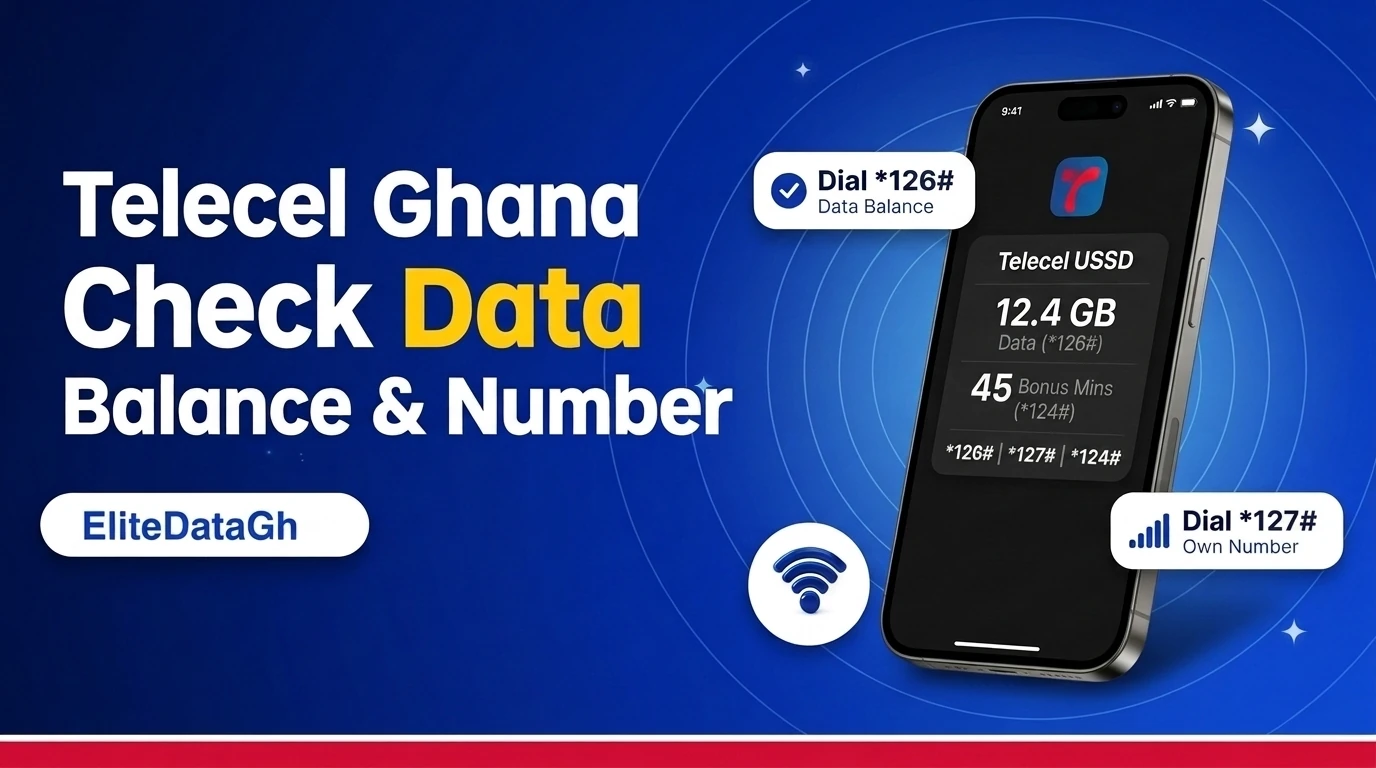
Table of Contents
- Official Telecel Ghana Balance and Number Shortcodes
- How to Check Your Telecel Ghana Data Balance Without Losing Credit
- How to Check Telecel Bonus Minutes, Voice Allowances, and Core Airtime
- How to Check Your Own Telecel Phone Number (`*127#`) and SIM Registration
- Checking Telecel Fibre Broadband Balance vs Mobile SIM Data
- Checking Telecel Balances on MiFi Routers, Laptops, and the Telecel Play App
- Protecting Your Telecel Cash and Airtime
- Frequently Asked Questions About Checking Telecel Ghana Balances
To check your Telecel Ghana data balance, dial *126# from your Telecel SIM card. To check your main airtime credit alongside bonus minutes and bundled voice allowances, dial *124#. To display your own 10-digit Telecel mobile number instantly on screen, dial *127#. If you run a Telecel Home or Office Fibre Broadband router rather than a mobile SIM card, dial *900# from an authorized Telecel line or sign in to the official Telecel Play app.
Every balance check on Telecel Ghana is a line of defense between your wallet and silent tariff drain. Unchecked auto-renewals, expired promotional bonuses, unpaid emergency loans, and out-of-bundle mobile data billing wipe out airtime in seconds once a package hits zero megabytes. Using the exact shortcode for the exact wallet bucket ensures you always know what you actually have before you browse, call, or top up.
Official Telecel Ghana Balance and Number Shortcodes
Dialing the wrong shortcode on Telecel Ghana is the fastest way to misread your account status, especially if you manage both a mobile SIM card and a fixed broadband account or carry active bonus allocations. Use the technical matrix below to match every balance check to the correct channel.
| Code or Channel | Account Bucket Checked | Access Requirements | Primary Purpose |
|---|---|---|---|
*126# | Mobile data bundles | Telecel SIM offline | Remaining MB or GB data and expiry |
*700# (Option 2) | Mobile data plans | Telecel SIM offline | Balance check plus bundle and auto-renewal controls |
*124# | Main credit and bonuses | Telecel SIM offline | Core airtime, bonus minutes, and SMS balance |
*127# | SIM line identity | Telecel SIM offline | Displays your 10-digit Telecel number |
*900# | Fibre Broadband (FBB) | Authorized Telecel line | Router data cap, billing status, and FBB balance |
*463# or *484# | Value-Added Services | Telecel SIM offline | Audits and cancels hidden paid SMS subscriptions |
*505# | SOS emergency credit | Telecel SIM offline | Checks borrowed credit or data debt owed |
*400# and *402*1# | Ghana Card SIM status | Telecel SIM offline | Confirms biometric registration and linked numbers |
050 100 0300 | Telecel WhatsApp desk | Internet connection | Verified self-care and account troubleshooting |
How to Check Your Telecel Ghana Data Balance Without Losing Credit
Direct USSD Check With *126#
Dial *126# and press the call button on the active Telecel SIM card. Within two seconds, the network returns a USSD prompt or SMS alert listing every active internet data bucket tied to that line, including standard expiring retail packages, night or social data allocations, and corporate non-expiry data balances.
Look closely at the exact unit returned in that message. Subscribers frequently confuse 5,120 MB with a smaller allowance or misread decimal values during heavy downloads. Convert raw megabyte alerts into exact gigabytes using the MB to GB Data Converter before starting large software updates or streaming sessions.
Check Data and Stop Auto-Renewal Inside *700#
Dial *700# and select Option 2 for balance inquiries. Using *700# gives you one critical financial advantage over *126#: it sits inside the same menu that controls bundle auto-renewal. If you ever subscribed to a recurring daily or weekly bundle directly through USSD, that menu lets you turn off automatic deductions so a fresh recharge is not quietly consumed by an unwanted bundle cycle.
Avoiding the Out-of-Bundle Airtime Wipeout
Telecel Ghana mobile connections switch immediately to pay-as-you-go billing on your main *124# airtime balance the second your active data package hits 0.00 MB, unless your account holds an active non-expiry fallback allocation. On modern smartphones running 4G or 5G, background updates and video preloading can burn GHS 10 or more in core airtime within minutes after a bundle expires. Configure a hard mobile data limit warning inside your Android or iOS cellular settings, restrict background data for cloud backups and video feeds, and switch mobile data off immediately whenever your *126# alert drops below 100 MB.
How to Check Telecel Bonus Minutes, Voice Allowances, and Core Airtime
Dial *124# to pull your main prepaid airtime balance alongside promotional bonus airtime, bonus voice minutes, and SMS allowances.
Subscribers often lose money because they treat core airtime and bonus credit as interchangeable wallets. They operate under completely different billing rules on the network:
- Core Main Balance (
*124#primary wallet): This money stays flexible. You can spend it on calls to MTN and AT, subscribe to USSD plans inside*700#, transfer credit to another Telecel line through*516#, or cover international call fees. - Promotional Bonus Credit and Minutes: Bonus rewards from recharge promotions, Telecel Red plans (
*200#or*7070#), Vim offers (*556#), or Made4Me deals (*530#or*543#) almost always carry strict expiry timers and network restrictions. Most bonus minutes only cover Telecel-to-Telecel on-net calls and expire within 24 hours to 7 days. You cannot use promotional voice credit to activate standard data packages or transfer funds.
Why Your Airtime or Bonus Vanishes Unexpectedly
If you dial *124# after loading airtime and see a lower balance than you paid for, check these two automated deductions immediately before contacting support:
- Unpaid SOS Credit Debt (
*505#): Whenever you borrow emergency airtime or data on Telecel, the billing platform places an automatic recovery lock on your SIM. Your next recharge repays that loan plus the service fee instantly before releasing a single cedi into your usable balance. Dial*505#to verify whether any outstanding advance exists. - Unauthorized VAS SMS Subscriptions (
*463#and*484#): Third-party content alerts, lottery promos, football tips, and ringback tones drain main credit silently at GHS 0.50 to GHS 2.00 per billing cycle. Dial*463#or*484#right away to list active Value-Added Services and cancel every unwanted subscription in one session.
How to Check Your Own Telecel Phone Number (*127#) and SIM Registration
Dial *127# to display your 10-digit Telecel Ghana mobile number directly on your phone screen. This command works completely offline without airtime or internet data, making it essential when setting up a dual-SIM phone, activating a fresh starter pack, or checking a SIM card you pulled out of a tablet or modem.
Four Identity Checks That Protect Your Line From Disconnection
Knowing your 020 or 050 number is only the first step. Protect the SIM card from regulatory blocking or identity hijacking with these operational checks:
- Confirm Ghana Card Registration (
*400#): Dial*400#to confirm your SIM card shows verified biometric linkage. Unlinked or flagged lines risk sudden suspension of outgoing calls, data delivery, and Telecel Cash access (*110#). - Audit Every Number Linked to Your ID (
*402*1#): Dial*402*1#to see all phone numbers registered under your Ghana Card. If you spot unfamiliar numbers tied to your national ID, visit a Telecel retail shop with your physical Ghana Card immediately to delink unauthorized lines. - Verify Telecel eSIM Readiness (
*700*6#): If you run a compatible smartphone and want to inspect eSIM provisioning status, dial*700*6#. - Verify Carrier Status Before Transfers: Mobile Number Portability (managed across Ghana through code
600) allows subscribers to move an020or050number to MTN or AT while keeping the original digits. Before initiating wallet transfers or airtime top-ups for an unfamiliar recipient, verify the number formatting and prefix using the Ghana Phone Number Network Checker.
Checking Telecel Fibre Broadband Balance vs Mobile SIM Data
Dialing *126# on your smartphone only checks the mobile SIM card inserted inside that handset. It will never read the remaining quota on a Telecel Home or Office Fibre Broadband (FBB) router.
To check your Fibre Broadband data usage, expiration date, and billing balance:
- Dial
*900#from any authorized Telecel Ghana mobile number. - Select Fixed Broadband and enter your registered broadband account details to view remaining data volume and active plan dates.
- Alternatively, link your Fixed Broadband account inside the official Telecel Play mobile application so you can track home router gigabytes from any internet connection.
Checking Telecel Balances on MiFi Routers, Laptops, and the Telecel Play App
If your Telecel SIM card sits inside a 4G MiFi, pocket Wi-Fi router, or tablet without a phone dialer, you do not have to remove the SIM card every time you need a balance check:
- Telecel Play App: Download Telecel Play exclusively from the Google Play Store or Apple App Store and log in using OTP verification (or connect directly over that Telecel network). The dashboard displays mobile data, core airtime, bonus minutes, and broadband consumption side by side.
- Router Admin Portal: Log into your MiFi browser dashboard (typically
192.168.8.1or192.168.1.1) and open the USSD or SMS tab to send*126#or*124#without touching the physical SIM tray. - Official Telecel Ghana WhatsApp Support: Message
050 100 0300on WhatsApp for official automated self-service inquiries. - Official Voice Helpline: Call
100toll-free from any Telecel SIM card, or050 555 5111if dialing from MTN or AT.
Protecting Your Telecel Cash and Airtime
Telecom scammers target Telecel subscribers every day using fake balance-checking shortcuts and fraudulent customer care lines. Apply these hard security rules without exception:
- Never install third-party APK balance apps: Unofficial Android apps advertising instant balance widgets or free 20GB Telecel data ask for Accessibility permissions. Once granted, attackers read your screen and intercept
*110#Telecel Cash PIN entries and SMS one-time passwords. - Reject any USSD code sent in an unsolicited promo SMS: Telecel Ghana will never send a personal mobile number text instructing you to dial
*516*...#(airtime transfer),*110#payment approvals, or call-forwarding strings like**21*...#to claim bonus minutes or verify your line. Those codes transfer your money or divert banking OTP calls to an attacker. - Verify caller identity before speaking: Real customer care agents operate through
100,050 555 5111, and WhatsApp050 100 0300. Any caller from a standard 10-digit personal number claiming your Telecel Cash wallet or SIM needs PIN verification is a scammer. Hang up immediately and report the number toll-free by dialing419across any Ghanaian network.
You can keep all verified telecom, banking, and utility shortcodes saved in one lookup reference on the Ghana USSD Shortcodes Directory, or explore full network specifications in the Telecel Ghana Corporate Profile.
Frequently Asked Questions About Checking Telecel Ghana Balances
Does dialing *126#, *124#, or *127# cost airtime?
No. All three primary self-care USSD codes (*126# for data balance, *124# for main credit and bonus minutes, and *127# for checking your own number) are free across Telecel Ghana even when your main airtime wallet sits at GHS 0.00.
Why does *126# show zero data right after activating a Telecel package?
First, wait 2 to 5 minutes during peak evening traffic and redial *126# because gateway confirmation SMS alerts sometimes arrive slightly ahead of or behind the USSD cache update. Second, verify that the target line is active on Telecel rather than ported to another carrier. If you manage a business or corporate profile, verify active allocations inside the Telecel Play app dashboard alongside *126#.
How can I stop my Telecel airtime from disappearing overnight?
Dial *463# or *484# to cancel all active third-party Value-Added Service subscriptions, then dial *700# to disable unwanted data bundle auto-renewals, and switch mobile data off when sleeping if your active data bundle is close to 0 MB to prevent pay-as-you-go main wallet deductions.
How do I check remaining Telecel bonus minutes separately from main credit?
Dial *124# and read the itemized lines on the popup prompt or follow-up SMS. Telecel separates main usable airtime (which stays active while the SIM remains active) from promotional voice minutes, Telecel Red allowances, and bonus expiry dates.
Keep Reading

Telecel One Family Plan Explained: How to Share Voice and Data Across Numbers
Telecel One Family explained: dial *900# or use Telecel Play to share broadband data and voice across 1 to 4 paired numbers on 30-day household plans cleanly.

How to Share or Transfer Airtime on Telecel Ghana Using *516#
Dial *516# on Telecel Ghana to share airtime credit to 020 and 050 numbers. Learn the express code, GHS 0.05 fee, default 1234 PIN setup, and transfer rules.

MTN Pulse and Mashup Bundles (*567#): Complete USSD Guide and Validity Rules
Dial *567# for MTN Pulse Mashup bundles in Ghana. Explore Voice and Data mix rules, social bonuses, non-expiry validity, and *567*4# balance checks cleanly.

MTN Ghana Data Zone (*138#) Explained: Why Offers Disappear and How to Qualify
Learn why MTN Ghana Data Zone (*135# and *138#) and Just4U (*141#) offers change, how NCA SMP rules affect pricing, and how your SIM qualifies for better data.

How to Cancel Unwanted Subscriptions and Caller Tunes Draining MTN Airtime
Cancel unwanted MTN Ghana subscriptions draining your airtime: dial *175# for VAS promos, *1355# or SMS Unsubscribe to 1355 for Caller Tunez, and STOP to 138.

How to Check Your SSNIT Number, Statements, and Pay Contributions via USSD (*711*9#)
Dial *711*9# on MTN, Telecel, or AT to verify your SSNIT number, merge your Ghana Card, email contribution statements, and pay SEED MoMo contributions.

Complete Guide to Ghana Emergency Shortcodes: Police (191), Fire (192), Ambulance (193), and 112
Dial 112 toll-free in Ghana for unified Police (191), Fire (192), and Ambulance (193) dispatch, plus verified NADMO, DOVVSU, ECG, and 292 cyber hotlines.